Before the leaves and the winter cover go down, Garden Track records exactly where each of your plants is, so you can find them all again in spring: the bulbs you can't see, the perennials that die back to nothing, the spot where you sowed seed.
No more forking through a tulip bed to plant the daffodils, or wondering whether that bare patch is empty or just late. Your garden, remembered — on your phone, in your pocket.
01 — Record each plantStand next to it. That's the spot.
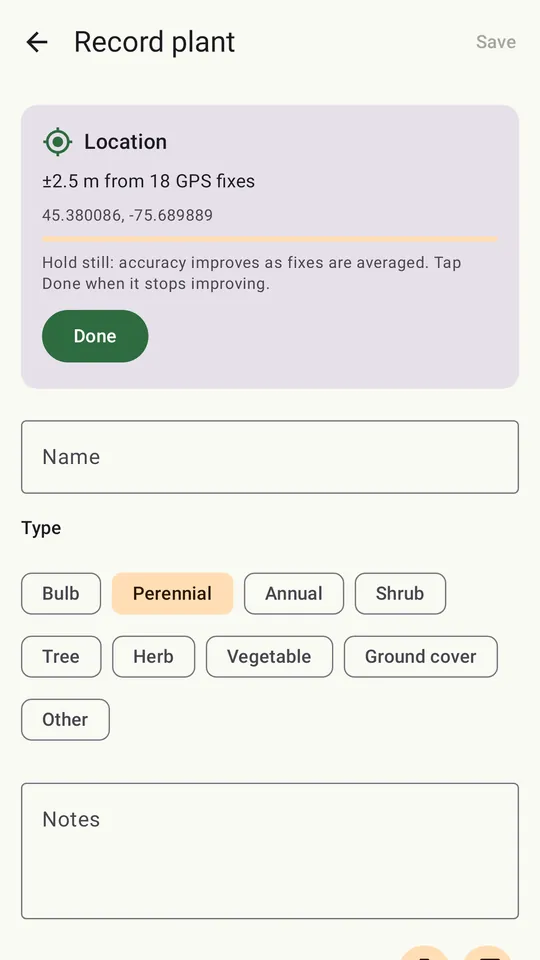
Garden Track averages your phone's GPS readings — weighting the accurate ones, dropping the outliers — to pin each plant's position, with an honest estimate of the accuracy as it settles. Drag the pin to fine-tune it.
Add a name, a type and notes, and take photos while it's in bloom, so you know what you're looking for later. Photos taken in the app remember where you stood.
02 — See your whole gardenA plan that reads like your garden
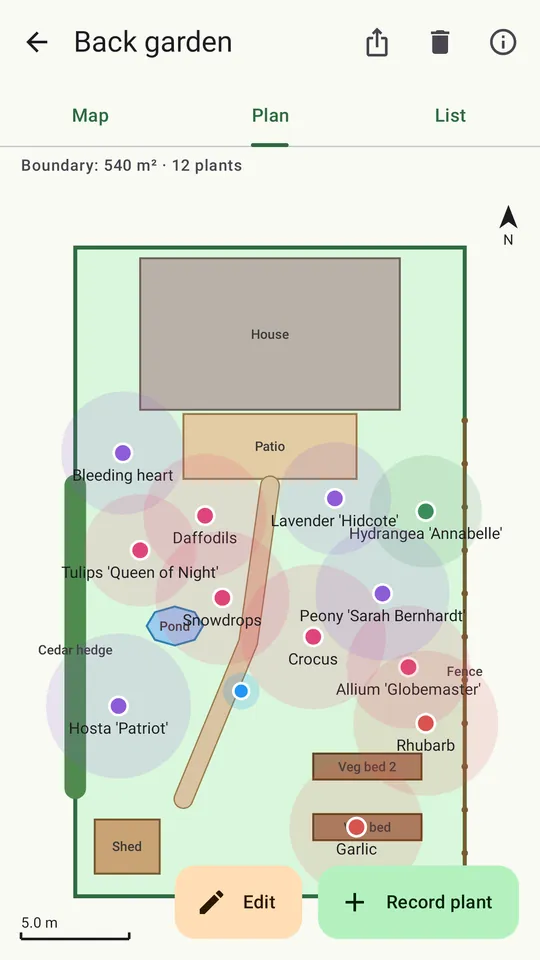
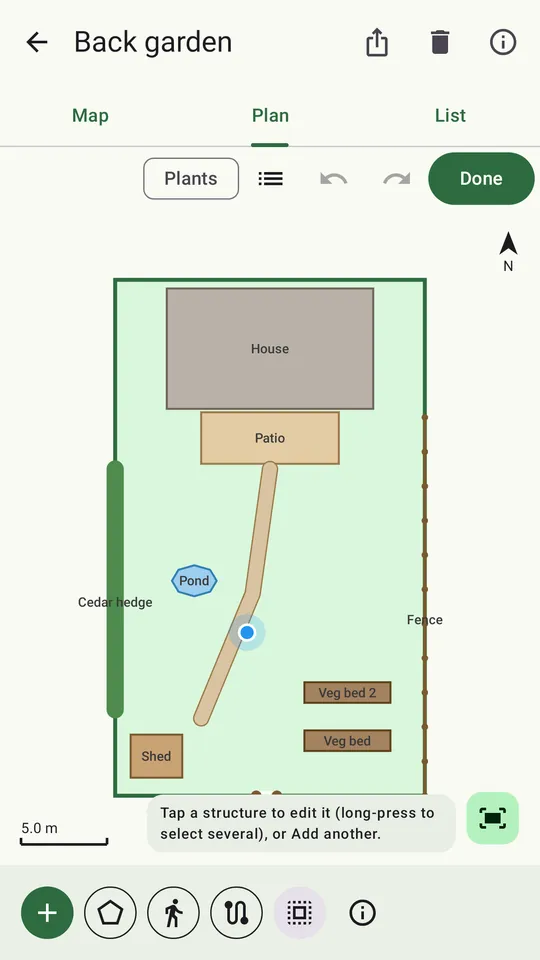
Outline your garden by walking around it, by marking each corner where you stand, or by drawing on a to-scale plan or the satellite map. Walk the boundary and Garden Track smooths the jitter, straightens the edges and shapes it into a tidy outline — even pushing it out to where the fence really is.
Add the house, shed, greenhouse, deck, beds, pond, fences, hedges, gates and paths. Sides snap flush to the boundary, Square up straightens a wonky shed, and Duplicate makes a row of matching beds. Undo anything.
Three views of every garden: a satellite Map, a to-scale Plan that works offline, and a List with distance and direction to each plant.
03 — Find them again in springAn arrow, a distance, a photo
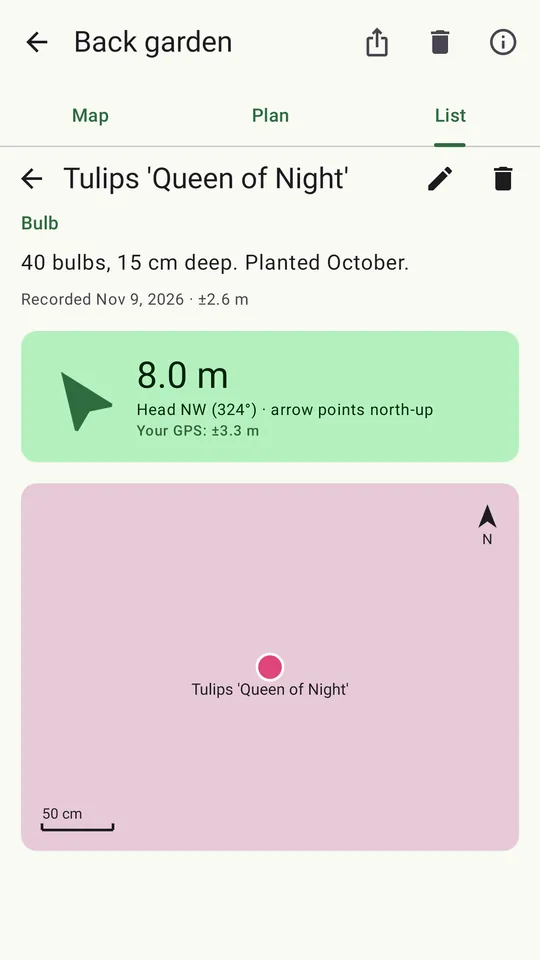
Open a plant and Garden Track shows how far away it is and an arrow pointing to it, with its photos and notes; it tells you when you're standing on the spot. Swipe to the next one.
04 — Print it or share itYour garden, on paper
Export a printable PDF inventory — the plan, every plant's notes, position and photos, and the structures — or all the photos, named after what they show. Share them, or save them to your Downloads or Drive.
05 — Private by designYour garden stays yours
Your gardens, plants and photos stay on your phone. No account, no ads, no tracking. GPS capture is only allowed near your own garden, so nothing gets recorded from somewhere else by mistake. Read the privacy policy.
06 — The billFree to start, no subscription
- Free for one garden, with every feature.
- Garden packs — one-time purchases that add five more gardens each.
- Business packs license commercial use for gardening and landscaping professionals.
07 — Letters to the editorQuestions, answered
How do I find bulbs and perennials again in spring?
Record each plant in Garden Track while you can still see it: stand next to it and the app averages your phone's GPS readings into one spot, and you can add photos and notes. In spring, open the plant and Garden Track shows the distance and an arrow pointing to it.
How accurate is the plant location?
As accurate as your phone's GPS allows, improved by averaging many readings and dropping outliers. Garden Track shows an honest accuracy estimate as it settles, and you can drag the pin to fine-tune it.
Does Garden Track work without a data connection?
Yes. The to-scale Plan view, plant records, photos and GPS capture all work offline. Only the optional satellite map needs a connection.
Where is my garden data stored?
On your phone. Your gardens, plants and photos stay on the device. There is no account, no ads and no tracking.
Is Garden Track free?
Garden Track is free for one garden. One-time garden packs add five more gardens each — no subscription. Business packs license commercial use for gardening and landscaping professionals.